
Send the Lakeside contract to Dana to sign
Contract ready to send, with Dana’s signature and date fields placed.

Send a contract and get it signed online. People sign in the order you choose, from a link, with no account, and you get a record of who signed and when.
Written and kept current by the BlissPoint Access team (BlissPoint Global Solutions, LLC), who build and run this tool. About us · Updated
Type or talk: “Send the Lakeside contract to Dana to sign.”
Aiva works in E-Signature the way you would, and fills in the details from your business.
Anything that leaves your business waits for one tap. Approve one, or approve them all, and it goes out.

Send the Lakeside contract to Dana to sign
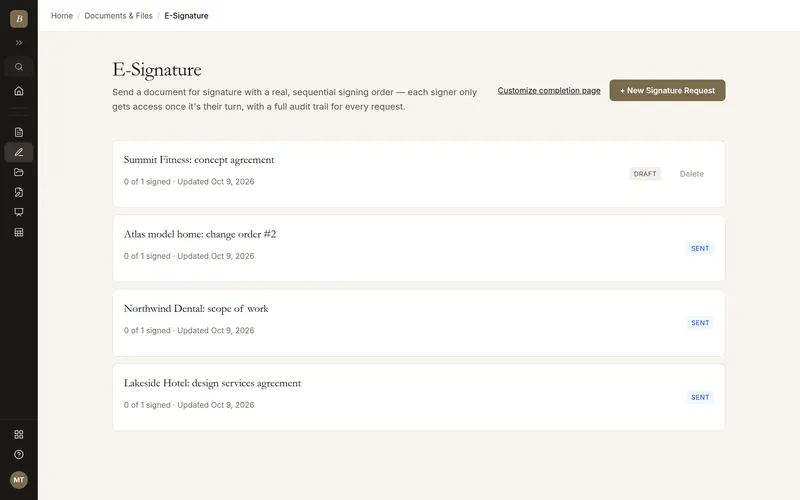
Real screens from E-Signature, filled in for a sample business. Select any screen to see it full size.
Say what needs signing. Suggestions like Services agreement or NDA fill it in one tap.
Type who signs first and, if needed, who signs after them. The preview shows the signing order.
Upload the PDF and drop signature, date and text fields for each signer.
Each signer gets a link when it is their turn, no account needed. Every step lands in the audit trail.
DocuSign and HelloSign charge per envelope or cap free-plan sends per month — signing here is included in every plan at no extra cost, with no send limit.
Real sequential routing: each signer only gets access once everyone before them has signed, the same signing-order logic DocuSign and PandaDoc otherwise gate behind a paid plan.
A full audit trail lives on the same request record shared with your Client Portal and CRM contact, instead of a separate signing-platform account you have to manage on its own.
Ask Aiva to "send the contract to Lee for signature": she places the signature and date boxes and sends it once you approve.
Multi-signer requests with a real, enforced sequential order
Each signer gains access only once it's their turn
Full audit trail: who signed, when, and from where
Public signing link — no account required for signers
Decline with a reason, visible to the request owner
Aiva prepares and sends documents for signature (you approve each send)
Nothing you type is lost. The title and message to signers saves by itself a moment after you stop typing, and a copy stays in your browser until the save lands, so a reload, a closed tab, a dropped connection, a restart or a sign-out brings it back. If the same request is open in two tabs, both versions are combined instead of one overwriting the other.
Nothing is lost. Your changes save about a second and a half after you stop typing (and at once when you click away or switch tabs), and a copy stays in your browser until the save goes through, so after a reload we put back anything that had not saved yet.
No — each signer gets a public link and never needs to create an account.
Yes — sequential routing means signer 2 has no access at all until signer 1 completes their signature.
No per-envelope fee or monthly send cap, unlike DocuSign and HelloSign's free tiers.
Your work is saved as you go, and our database keeps a rolling restore point covering the last 6 hours, so a recent mistake can be undone to the minute. Every night we also back everything up to a separate, encrypted cloud storage provider, keeping every nightly copy for 35 days and one copy a month for a year. Because the backups live with a different provider than the database, an outage or problem at one never takes your work with it.
It comes with every BlissPoint plan, along with every other tool your business needs. Try it all free for 14 days, no credit card needed.
A look at what's next as BlissPoint Access keeps growing.
Payroll and benefits, embedded business banking with virtual cards, business insurance, international money transfers and small business lending — joining the invoicing in any currency and credit building that are already live.
Tips, memberships, digital products, print-on-demand merch and livestreaming — joining the creator home page, owned audience list and Lifeboat backup that are already live.
AI-guided lessons plus live tutors for languages, music, art, trades, and more — for students and lifelong learners alike.
Property management, HR, personal budgeting and practice tools for therapists and other wellness pros are already live. Next: a tutor toolkit with AI-guided lessons, field service tools for trades, and much more…